
Managing bankruptcy payments can feel stressful, especially when you need to make monthly payments on time and keep accurate records. Missing a payment may create unnecessary problems during your repayment plan.
TFS Bill Pay helps individuals manage their Chapter 13 bankruptcy payments through an online automated payment system. The platform allows users to schedule payments, track transactions, and maintain payment records without relying on traditional methods like money orders or cashier’s checks.
This guide explains what TFS Bill Pay is, how it works, its features, payment options, costs, security, and common questions users ask before signing up.
What Is TFS Bill Pay?
TFS Bill Pay is an online payment service designed for people who are making Chapter 13 bankruptcy plan payments. The system connects users with their bankruptcy trustee so they can make scheduled payments electronically.
Instead of visiting a bank to purchase money orders or sending physical payments, users can automate their payments through the TFS platform. This makes monthly payment management easier and helps users maintain organized records.
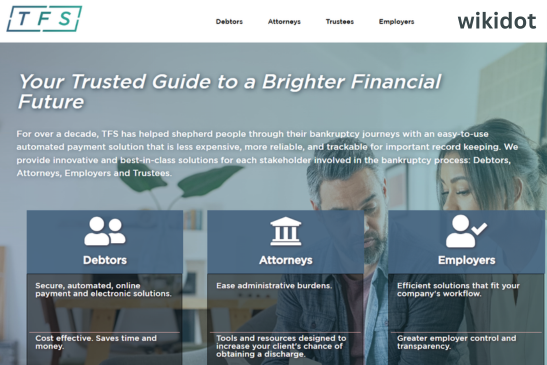
TFS also supports different users involved in the bankruptcy process, including:
- Debtors making Chapter 13 payments
- Bankruptcy trustees managing payments
- Attorneys supporting clients
- Employers handling related payment solutions
How Does TFS Bill Pay Work?
TFS Bill Pay works by connecting your payment information with your Chapter 13 trustee account.
After creating an account, users provide necessary information such as their bankruptcy case details and payment information. TFS then schedules electronic payments through the banking system.
The basic process includes:
1. Create a TFS Account
Users start by creating an account on the TFS platform. The registration process requires basic personal information and account setup details.
2. Connect Payment Information
Users provide their bank account information or eligible payment method to arrange electronic payments.
3. Schedule Payments
TFS allows users to select payment schedules according to their bankruptcy plan requirements.
4. Track Payment History
Users can view transaction records and payment history through their account dashboard.
Why Use TFS Bill Pay for Bankruptcy Payments?
Traditional bankruptcy payments often require additional steps. Buying money orders, visiting banks, and keeping paper receipts can become inconvenient over time.
TFS Bill Pay provides a digital alternative with several advantages.
Convenient Online Payments
Users can manage payments from home without visiting a bank or mailing physical documents.
Automated Payment Scheduling
Automatic payments help users stay organized and reduce the chance of forgetting monthly payment dates.
Digital Payment Records
TFS maintains payment information so users can review their transaction history whenever needed.
Multiple Payment Options
TFS provides payment options through bank accounts and eligible debit payment methods.
TFS Bill Pay Features
TFS includes several features designed to simplify Chapter 13 payment management.
Automatic Payment Reminders
The platform provides notifications to help users stay aware of upcoming payments.
Payment Tracking
Users can check previous transactions and maintain records of completed payments.
Secure Online System
TFS states that it uses encryption technology to protect transaction information.
MoneyGram Payment Support
TFS also supports payments through MoneyGram locations, providing another option for users who need alternative payment methods.
How to Login to TFS Bill Pay
The TFS Bill Pay login process is simple.
Users can access their account by:
- Visiting the official TFS Bill Pay website
- Selecting the login option
- Entering registered account details
- Accessing payment schedules and transaction history
If users forget their login information, they can use available account recovery options through the support system.
How Much Does TFS Bill Pay Cost?
TFS charges technology fees based on the payment method and payment amount.
According to the official pricing information, bank account payments have different fees depending on the payment amount. Debit Mastercard payments also have separate fee structures.
Users should review current pricing details before selecting a payment method because fees may vary depending on the transaction type.
Compared with traditional options like certified checks or money orders, TFS explains that its electronic payment system can reduce payment-related costs and save time.
Is TFS Bill Pay Safe?
Security is an important concern when handling financial payments.
TFS uses security measures designed to protect user information and payment transactions. The company states that transactions are protected through encryption technology.
Users should also follow basic security practices:
- Use a strong password
- Avoid sharing login details
- Access accounts through official websites
- Keep contact information updated
Who Can Use TFS Bill Pay?
TFS Bill Pay is mainly designed for individuals participating in Chapter 13 bankruptcy repayment plans.
However, availability depends on whether the user’s trustee accepts TFS payments. Not every Chapter 13 trustee may use the platform.
The platform also provides solutions for other bankruptcy-related professionals, including trustees and attorneys.
TFS Bill Pay vs Traditional Payment Methods
| Feature | TFS Bill Pay | Traditional Payments |
|---|---|---|
| Online access | Yes | Limited |
| Automatic scheduling | Available | Usually unavailable |
| Digital records | Available | Paper records |
| Home payment option | Yes | Often requires visits |
| Payment tracking | Online dashboard | Manual tracking |
TFS provides a more digital approach compared with older payment methods that require physical processing.
Common Problems With TFS Bill Pay
Although online payment systems provide convenience, users may experience occasional issues.
Common problems include:
- Login difficulties
- Payment scheduling errors
- Incorrect account information
- Delayed processing times
TFS recommends contacting support for account-specific problems. Users can contact TFS customer support through their official support channels.
How Long Do TFS Payments Take?
Payment processing times depend on banking procedures and trustee requirements.
According to TFS support information, payments may take several business days to process and reach the trustee. Users should schedule payments carefully and consider weekends or bank holidays when planning payment dates.
Final Thoughts on TFS Bill Pay
TFS Bill Pay provides a convenient way for Chapter 13 bankruptcy participants to manage monthly payments online. Its automated payment scheduling, transaction tracking, and digital records help simplify the repayment process.
For people looking for a simpler alternative to money orders and manual payment methods, TFS offers a practical online solution. Before signing up, users should confirm that their bankruptcy trustee supports TFS payments and review the latest payment requirements.
Frequently Asked Questions About TFS Bill Pay
What is TFS Bill Pay used for?
TFS Bill Pay is used for making online and automated Chapter 13 bankruptcy payments to trustees.
How do I create a TFS Bill Pay account?
You can create an account by visiting the official TFS website and completing the registration process.
Can I make automatic payments with TFS?
Yes, TFS allows users to schedule automated bankruptcy payments according to their payment plan.
Is TFS Bill Pay secure?
TFS uses security measures, including encryption technology, to help protect payment information.
Can everyone in Chapter 13 bankruptcy use TFS?
Not everyone can use TFS. The service depends on whether the user’s Chapter 13 trustee accepts TFS payments.
Does TFS charge fees?
Yes, TFS charges technology fees depending on payment method and transaction amount.
Can I view my payment history?
Yes, users can access transaction records and payment history through their TFS account.
How can I contact TFS support?
Users can contact TFS support through their official support channels or phone assistance.
Leave a Reply